
iPhone Duo and AI: How Apple Could Change the Future of Smartphones
Quick summary
- iPhone Duo combines a folding screen with Apple Intelligence and Siri AI.
- A larger workspace could make everyday tasks easier, from reading to planning.
- Siri AI remains in beta, with limits that depend on language and region.
- The real test is whether these features save time in daily use.
- Split View lets you keep two apps open side by side.
- Check important AI answers and drafts before using them.
- Clear layouts and easy navigation will matter as screen sizes change.
How often do you switch between apps just to finish one small task? You read a message, look for a booking, open your calendar, then return to the conversation. iPhone Duo and AI could make that routine feel less tiring by bringing more information and help into one view.
Apple’s folding iPhone is now more than a rumour. However, its longer-term effect on smartphones is still an open question. Here is what Apple has confirmed, why it matters, and what users should consider.
What is iPhone Duo?
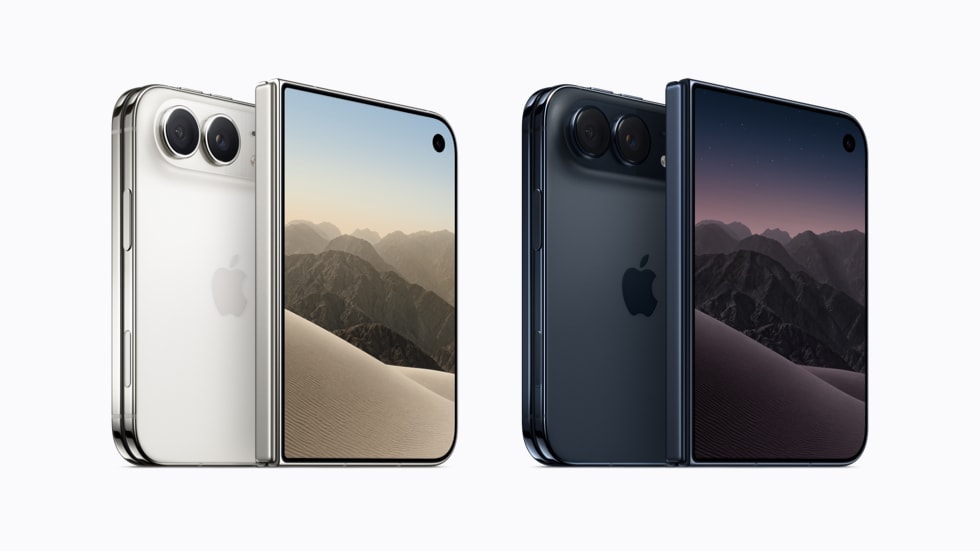
According to Apple’s iPhone Duo product page, the device has a 7.6-inch folding inner screen and a 5.4-inch outer screen. It uses the A20 Pro chip and includes a 48MP Dual Fusion camera system.
The appeal is easy to understand: keep a compact screen for quick checks, then unfold a bigger workspace when you need it. A shopping list rarely needs much space. Reading a document or comparing options often does.
- Closed: a smaller display for quick interactions.
- Open: more room for reading, viewing content and working.
- Flexible use: a folding design that supports different viewing positions.
Apple lists availability from 23 October 2026 in its initial launch markets. Check your local Apple store for regional availability.
How iPhone Duo and AI work together
- More room to see: the larger screen gives you space to read and review information.
- AI help when needed: the assistant can help you find, summarise and work with information.
- Two apps together: Split View lets you use two apps side by side.
- Siri beside your content: keep an AI conversation open while looking at another app.
- Less to remember: keeping details visible could make it easier to move between tasks.
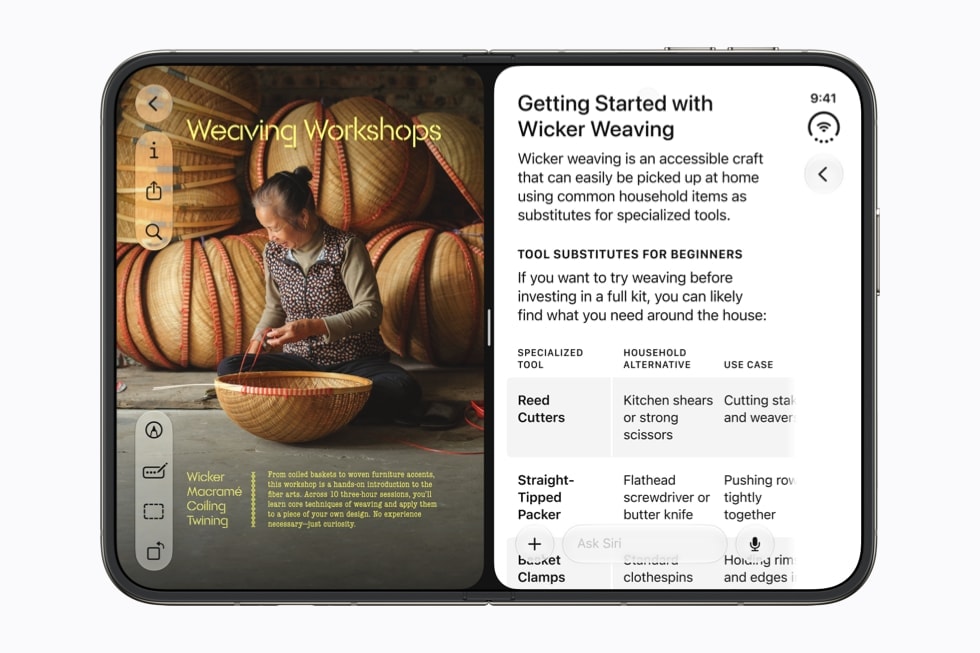
Apple describes these multitasking features in its iPhone Duo announcement. Image credit: Apple Newsroom.
Example: when planning a weekend away, you could review information on one side and organise your plans on the other. This is a possible workflow, not a hands-on performance test.
What Siri AI can help you do
Apple’s Siri AI guide describes personal context understanding, awareness of what is on your screen, and a dedicated app for conversations. In plain language, the aim is to make the assistant more useful when you ask about your own information.
- Find information: ask for relevant items instead of searching through everything manually.
- Continue a conversation: return to earlier questions in the Siri app.
- Ask about your surroundings: use Siri mode in Camera to ask questions or search.
There are limits. The guide identifies Siri AI as a beta, with English available initially. It also says Siri AI is not initially available in the EU on iOS, and usage limits may apply. Check current support for your location before relying on a specific feature.
Everyday benefits of iPhone Duo and AI
The most useful improvements may be small ones that repeat throughout the day. Consider these possible benefits:
- Less app switching: keep useful information visible while working on another task.
- Easier reading: view longer text with more space around it.
- Help with writing: turn rough ideas into a draft, then adjust the wording yourself.
- More comfortable planning: review details before making a decision.
Apple’s Apple Intelligence guide says Siri AI can create drafts, summarise information and offer writing feedback. Still, a useful first draft needs a human check. Names, dates and the tone of a message deserve particular attention.
Photography is another part of the wider iPhone experience. For practical shooting advice on a different model, read our iPhone 18 Pro Max camera settings guide. Model-specific controls and capabilities may differ.
iPhone Duo and AI: limits to consider
A bigger screen and an AI assistant do not automatically make a phone better for everyone. The benefits need to outweigh the cost, extra complexity and time spent learning new habits.
- Price: compare the total cost with the tasks you actually need to do.
- App support: check how your favourite apps use the larger display.
- AI mistakes: review answers and drafts before acting on them.
- Comfort: try the phone open and closed to judge its size and feel.
- Privacy: understand what information an assistant can access and review your settings.
Apple says Apple Intelligence uses on-device processing and Private Cloud Compute. That means you should not assume every AI request runs entirely on the phone.
Could this change the future of smartphones?
Our view: iPhone Duo and AI could shift attention towards how easily a phone helps people complete tasks. Its lasting value will depend on whether it saves effort in everyday use.
- Everyday usefulness: features need to help people consistently, beyond an impressive demonstration.
- Readable content: app makers and website owners need layouts that stay clear as the available screen space changes.
- Simple interactions: forms should be easy to complete, navigation should be clear, and essential information should be easy to find.
- Try a familiar task: choose something you do every day and try it on the device.
- Judge the difference: compare the steps, check the result and decide whether the time or effort saved matters to you.
Sources checked on 23 October 2026. This article explains Apple’s published information and offers analysis; it is not a hands-on review. Featured image: Apple Newsroom.