
iPhone 18 Pro Max. See the Shot. Learn the Settings. Make It Yours.
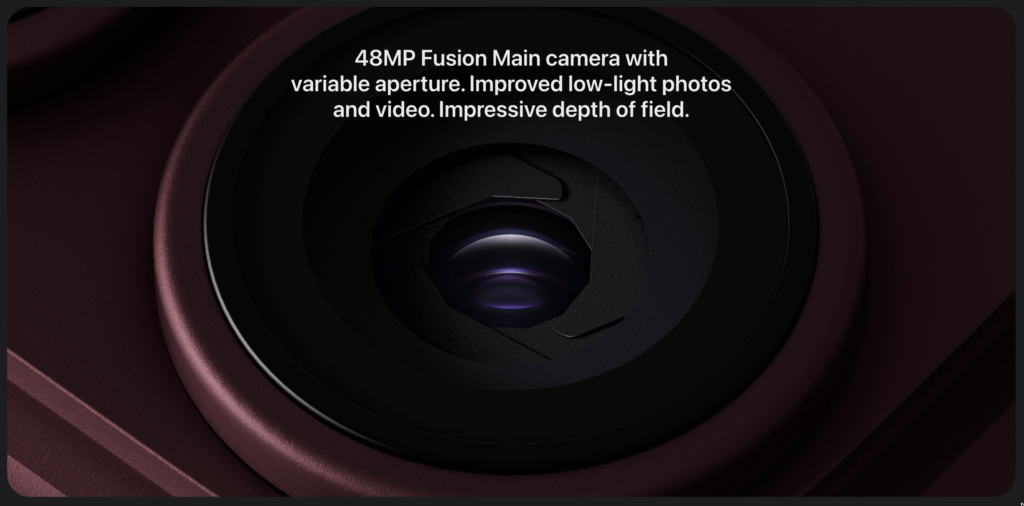
Quick summary
- Read the shot and its settings together: the examples connect photographic choices with the resulting image.
- Understand the main controls: focal length, aperture, shutter speed and ISO affect different parts of a photograph.
- Adapt to the scene: the supplied exposure values are examples, not presets for every light level or moving subject.
- Look beyond specifications: composition, camera position and the subject still shape the result.
Light.
With room to choose.
Explore iPhone 18 Pro Max camera settings for the photograph you want to make – with aperture, focal length, shutter speed and ISO shown beside every example.
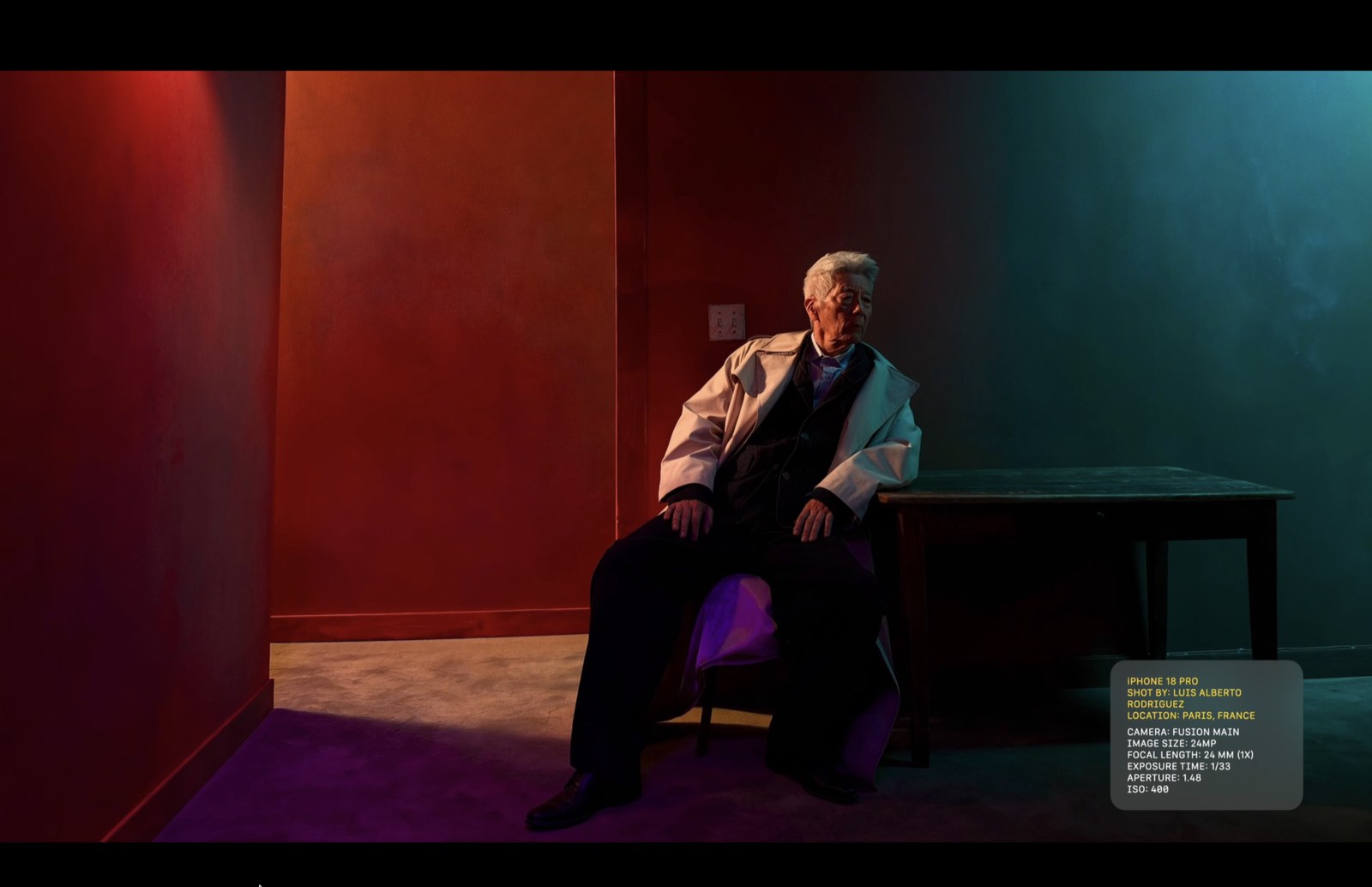
A face lit by red and blue. Three people standing at different depths. Sunlight catching an earring. Use the photographs below as a settings guide: see what was chosen, then understand why it works.
For photographers, camera enthusiasts and people who simply love iPhone: every setting is an invitation to try the frame yourself.
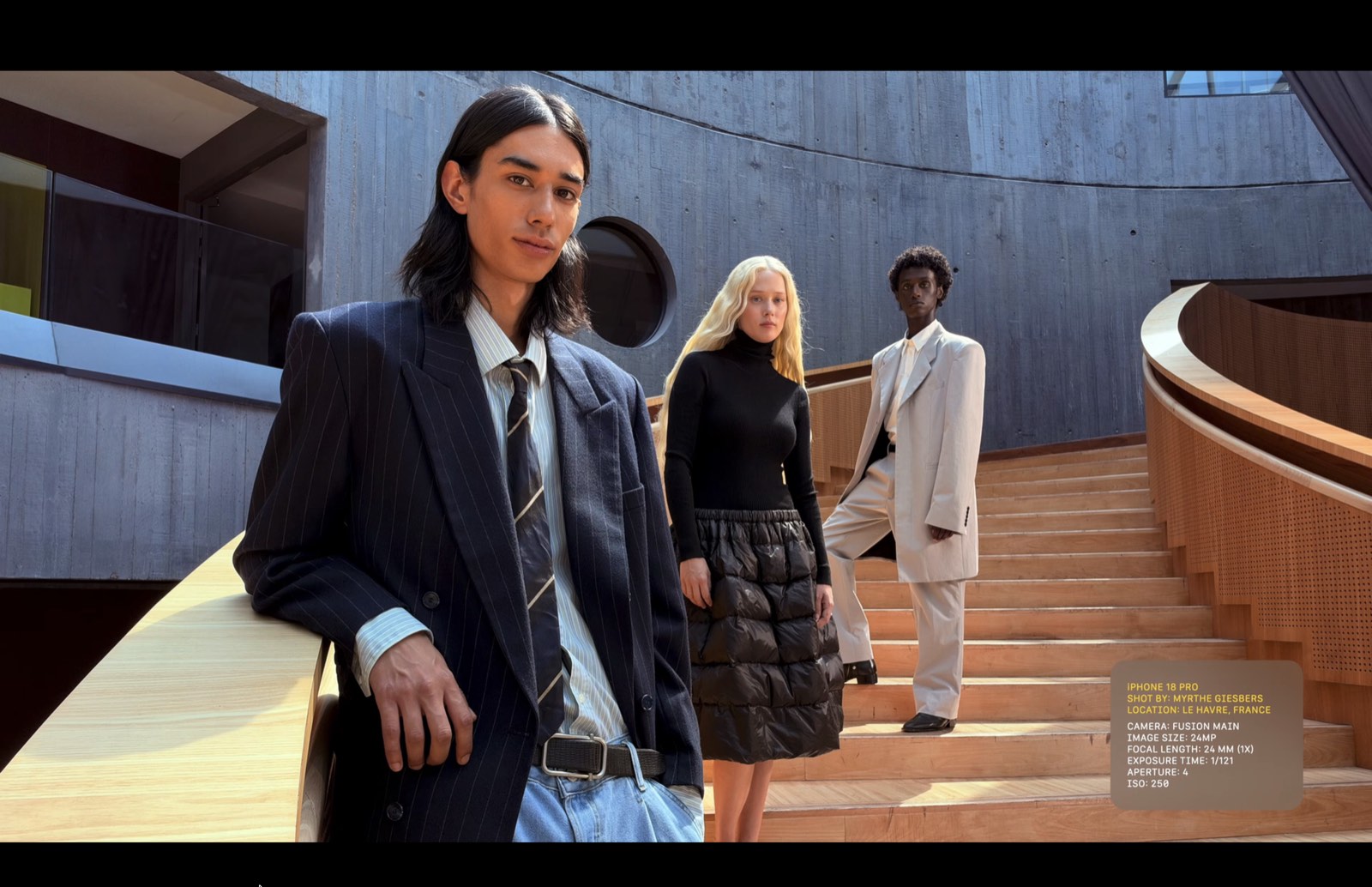
Let the setting share the frame.
ƒ/4 keeps the three figures and the architecture readable. Use a smaller aperture when the scene matters as much as the subject.
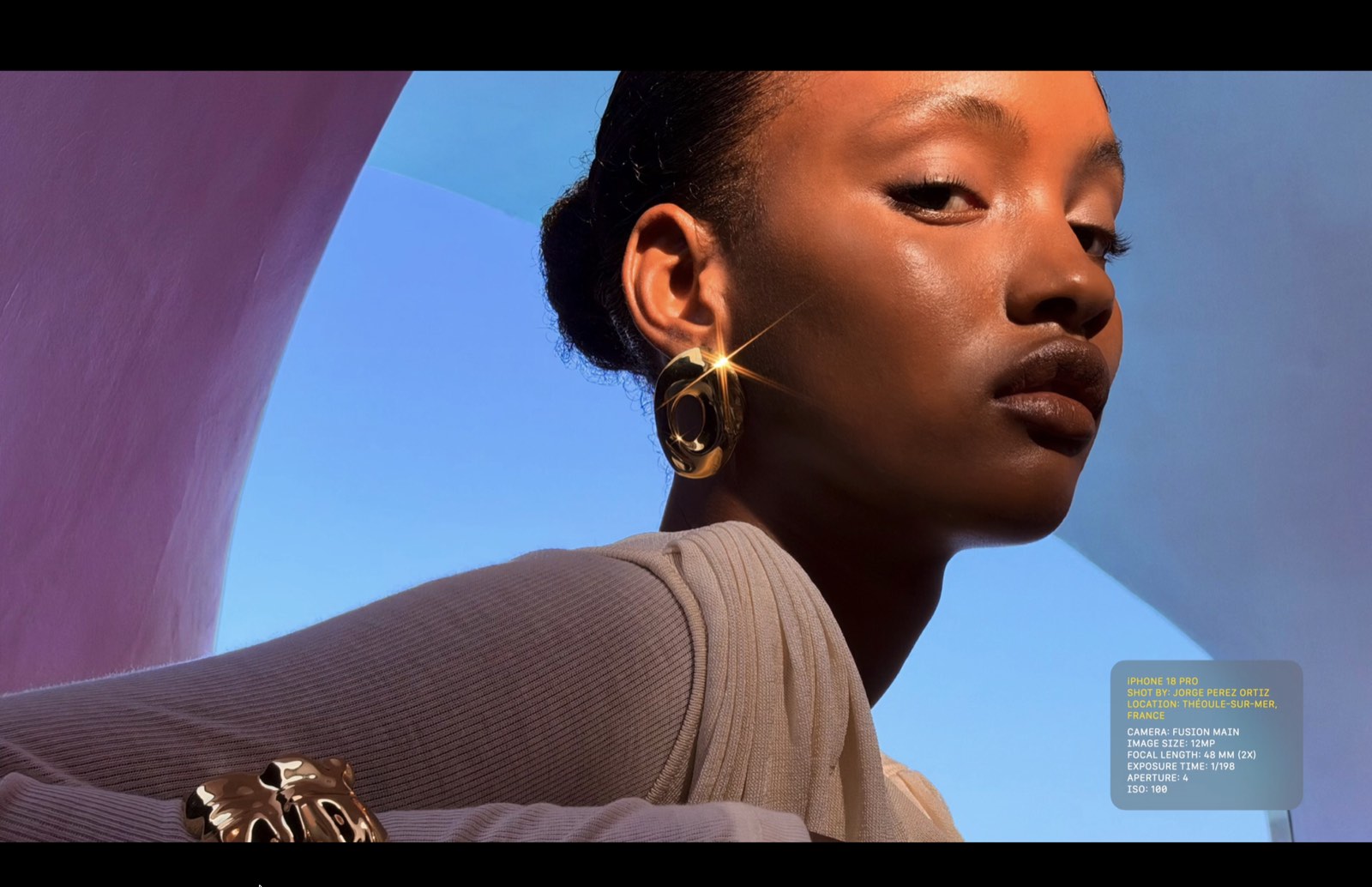
Let a bright detail lead.
At 48mm, the frame feels closer without losing the portrait. The controlled exposure keeps the earring’s flare crisp against the blue.
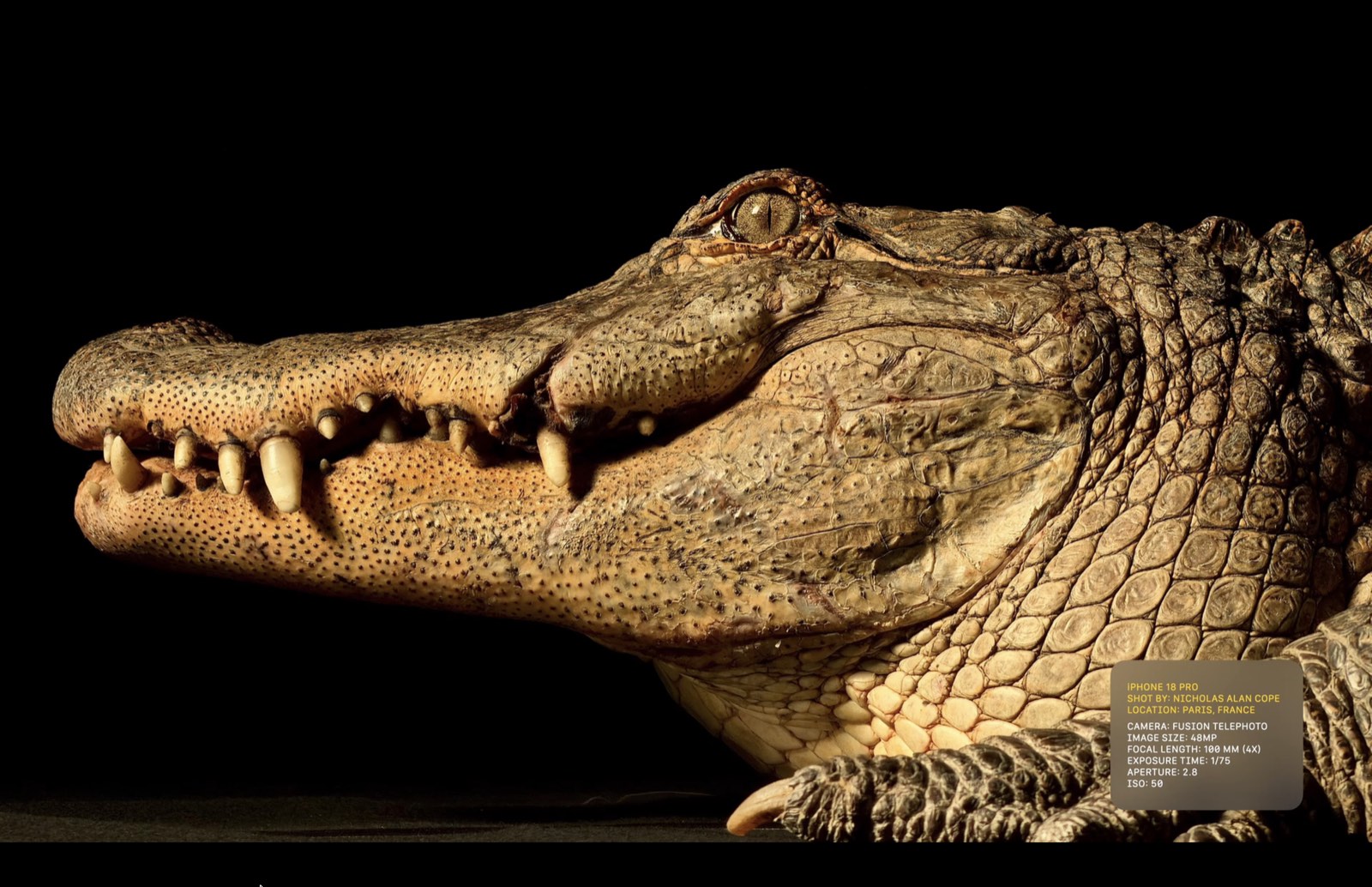
Bring texture forward.
At 100mm and 4x, the telephoto camera turns scales and a watchful eye into the whole composition. The dark background isolates the subject; lighting, subject distance and composition matter alongside the camera settings.
iPhone 18 Pro Max camera settings.
Four controls. One creative decision.
Choose iPhone 18 Pro Max camera settings for your own scene
The photographs above are useful starting points because they connect a visual intention with a set of exposure choices. Begin with the intention rather than copying every number. Decide whether you want a face to dominate the frame, several people to remain readable or a small texture to fill the image. That decision helps determine where to stand and what needs to stay sharp.
Light changes the usefulness of any example setting. A shutter speed that works for a still subject under strong light may produce motion blur when someone moves indoors. Before changing several controls, identify the problem in the image: is the subject blurred, the background distracting or an important highlight too bright? Solve the visible problem first.
Read motion and depth separately
Shutter speed affects how movement appears during an exposure. Camera shake and subject movement are different sources of blur. Holding the phone more steadily can help with the first, but it cannot stop a person from moving. For a hypothetical portrait of someone turning their head, take several frames and inspect the eyes rather than judging sharpness only from the small preview.
Aperture, distance and framing all influence the impression of depth. For a group photograph, look at how far apart the faces are from the camera. People standing in a deep diagonal create a different challenge from people arranged roughly on the same plane. Repositioning the group can sometimes achieve the intended result more reliably than adjusting a setting alone.
The examples also show why focal length and camera position should be considered together. Moving closer changes perspective. Choosing a tighter framing from farther away changes the relationship between the subject and background in the final composition. Before zooming, check whether a small change in position removes a distracting object or gives the subject a cleaner outline.
A repeatable practice session
Pick a safe, simple scene with one subject and stable light. Make a first photograph, then change one decision: framing, exposure or distance. Compare the pair at a useful viewing size and write down what improved. Keeping the comparison narrow makes it easier to connect the result with the choice that caused it.
Review bright areas as well as shadows. A picture can look pleasantly bright overall while losing detail in a reflective surface or pale sky. Conversely, darkening the entire image to protect a tiny reflection may make the main subject difficult to read. Choose which detail matters most for the photograph you are trying to make.
Use the supplied numbers as examples and consult Apple’s product information for device-specific capabilities. Available controls can also depend on the camera mode and application. The most useful settings guide is the one you build from repeated observations: what the light was doing, what your subject was doing and which adjustment visibly improved the frame.
Settings reproduced from the supplied Apple event images, labelled iPhone 18 Pro. Treat the exposure values as examples, not universal presets: adapt shutter speed and ISO to your light and subject movement. Photographs: Luis Alberto Rodriguez, Myrthe Giesbers, Jorge Perez Ortiz and Nicholas Alan Cope. Camera specifications and UK battery claims: Apple’s iPhone 18 Pro page.